 OptiSound
Every app gets its own volume.
€4.99, paid onceLifetime licence, no subscription
BuyOptiSound gives each app on your Mac its own level, its own 10-band EQ and its own output device. Turn the film up, keep notifications down, and let the music make room when a call starts.
- 10-bandEQ, for every app
- 400%Boost, held clean
- 0 msAdded latency
- €4.99Once, not monthly
Signal path
What macOS won’t do.
macOS gives you one volume slider for the whole machine and one output device at a time. OptiSound takes both of those limits away.
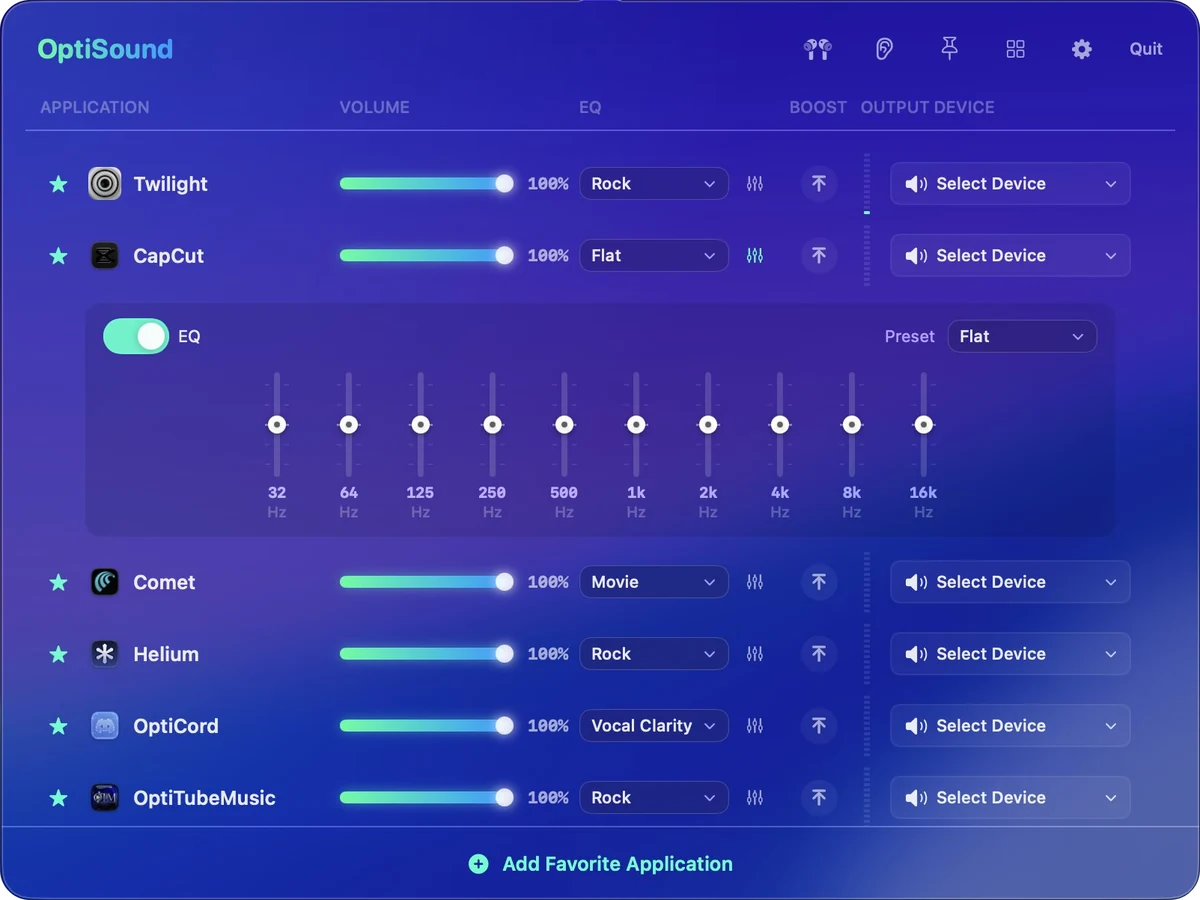
The mixer
Your Mac. Your mix.
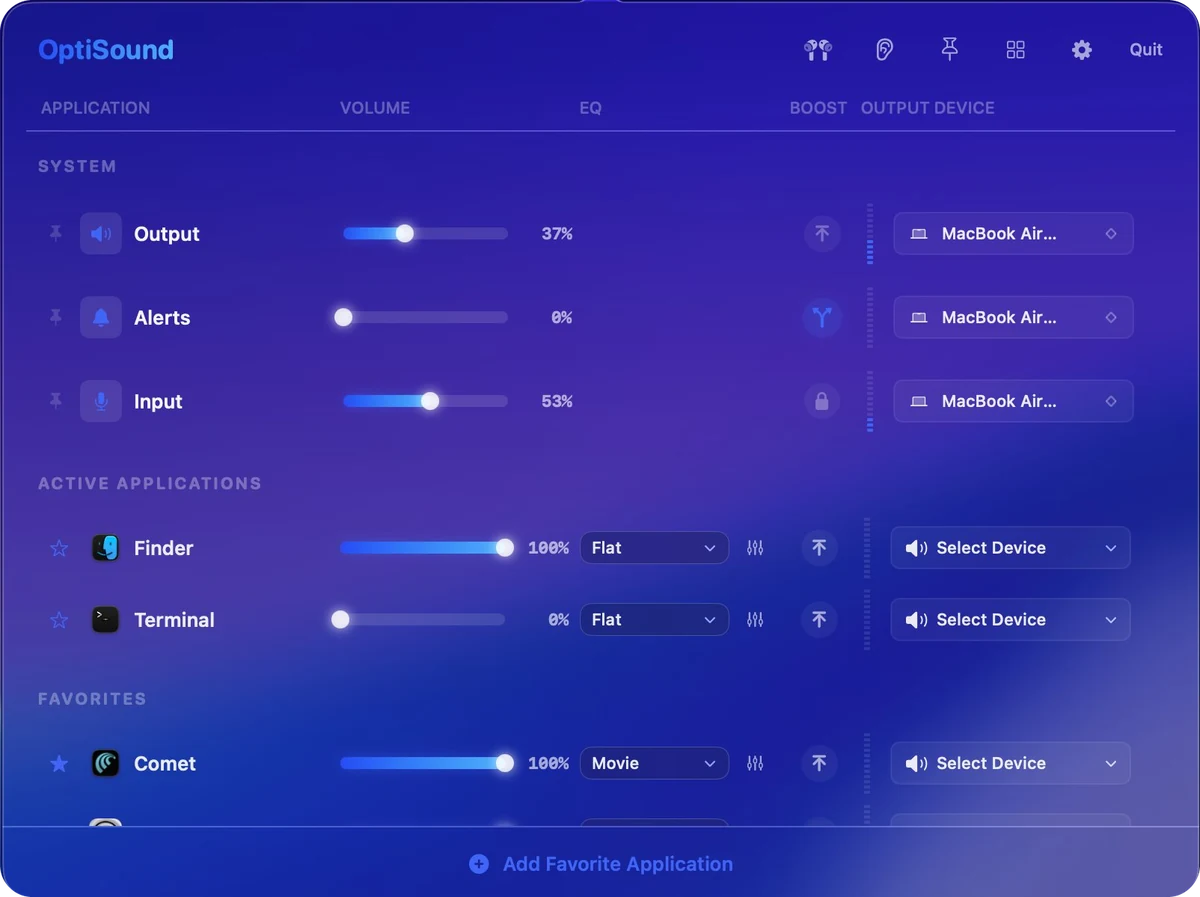
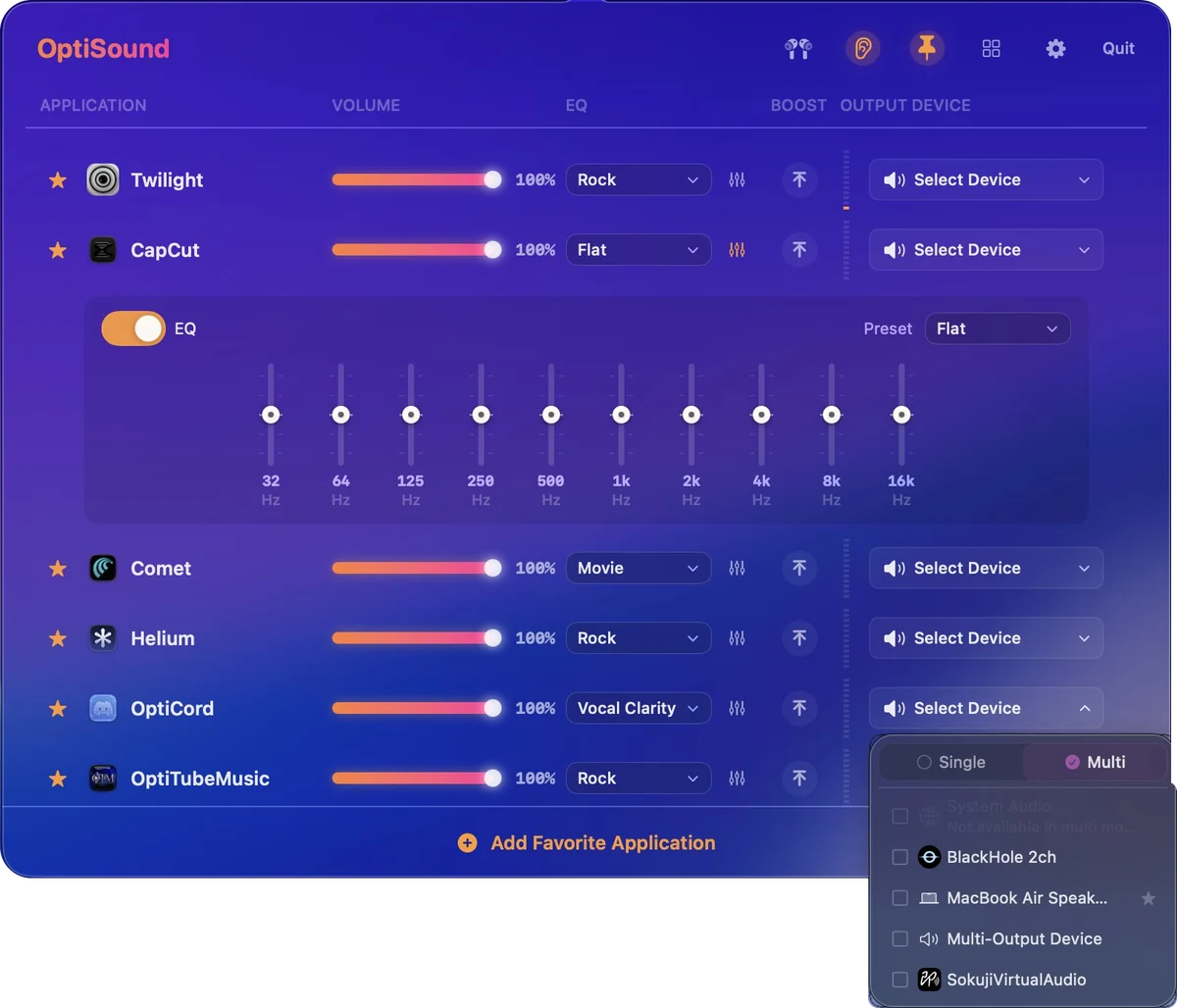
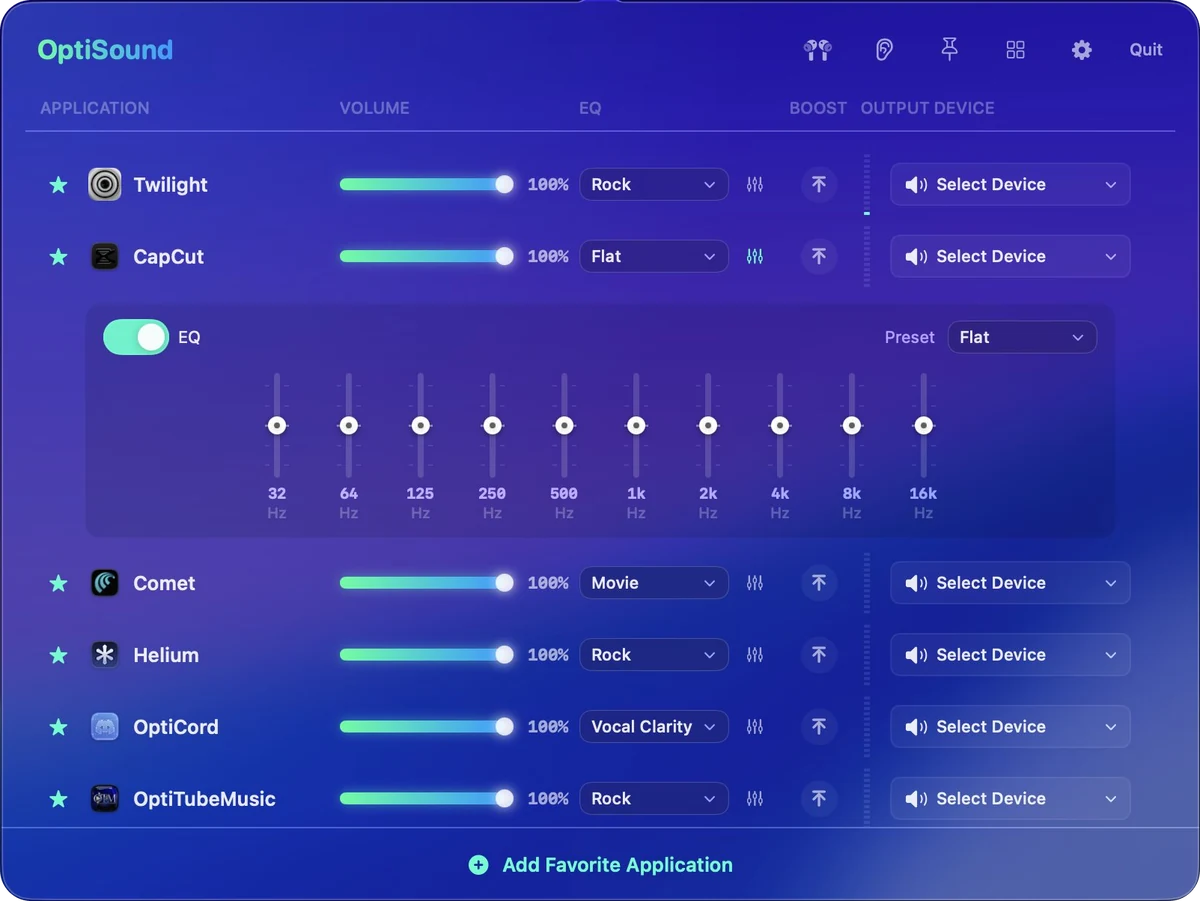
Set each app’s level, move a group together, or get into the EQ and listening controls. The Audio Map shows where it all goes. Switch to the grid for the whole mix at a glance.
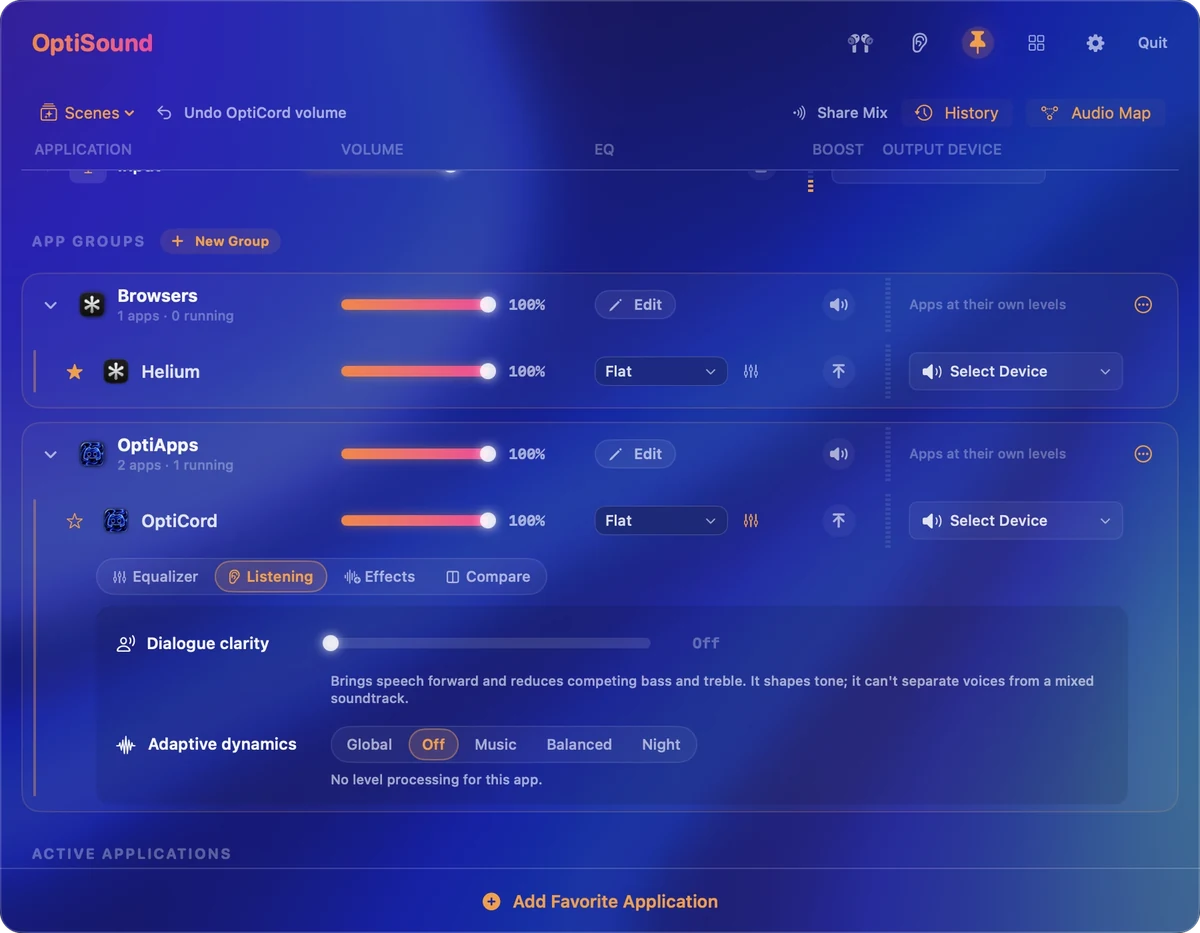
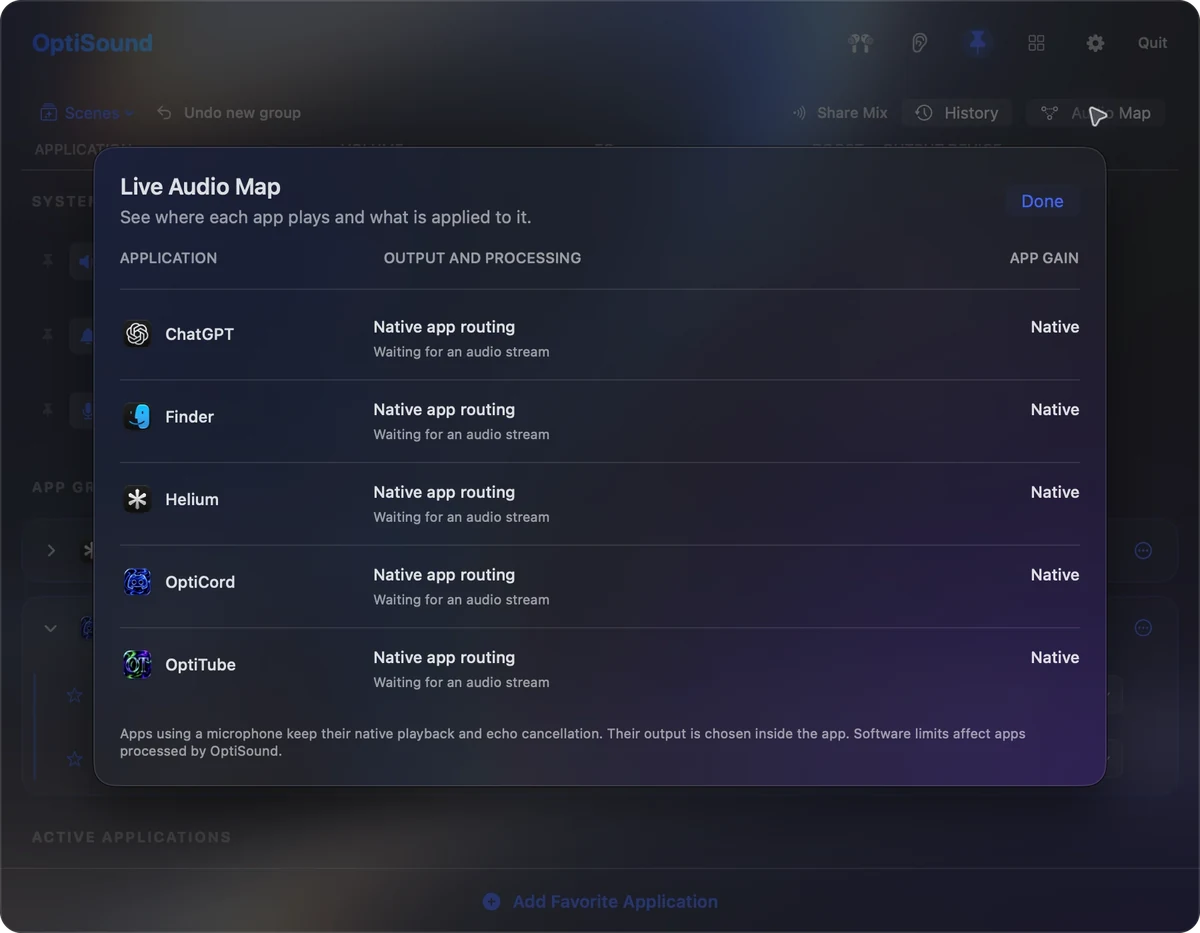
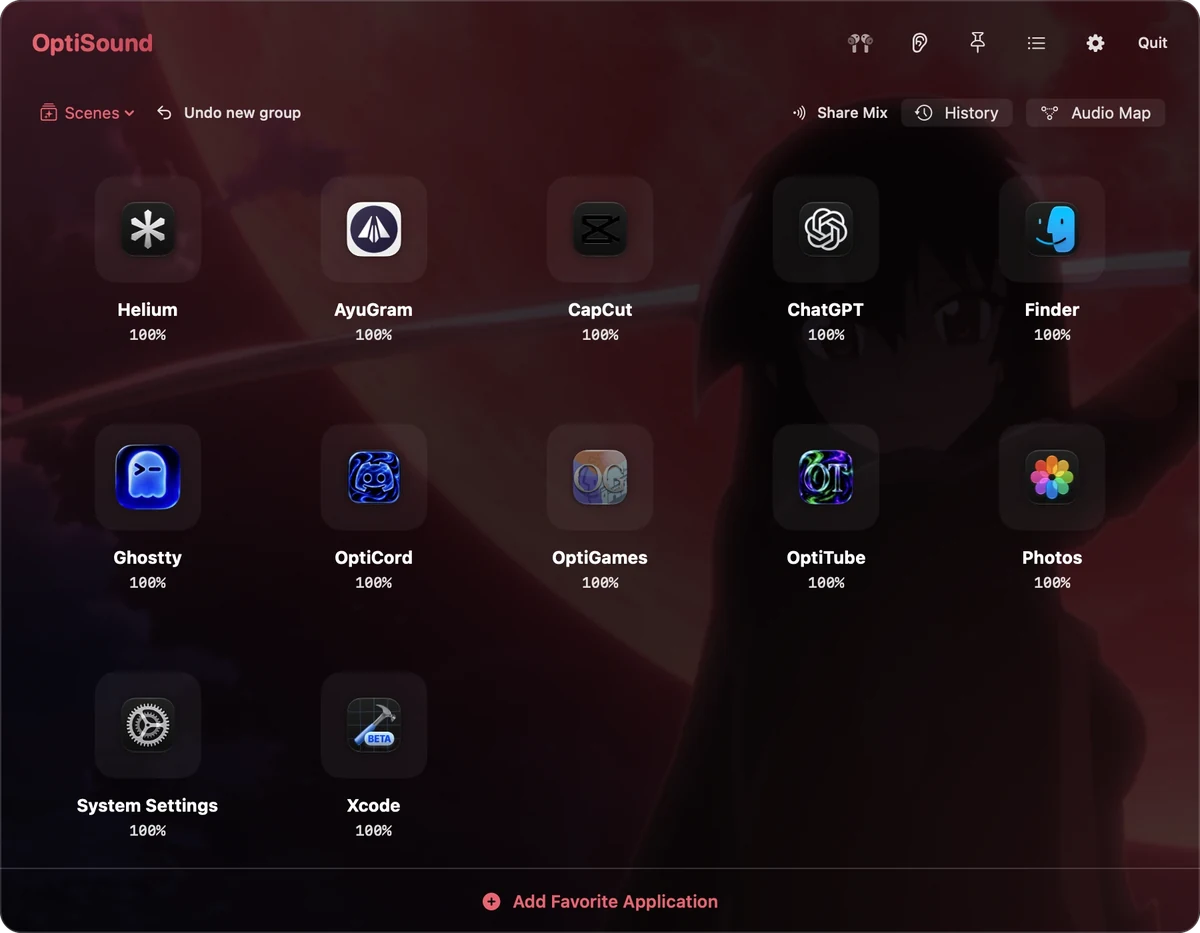
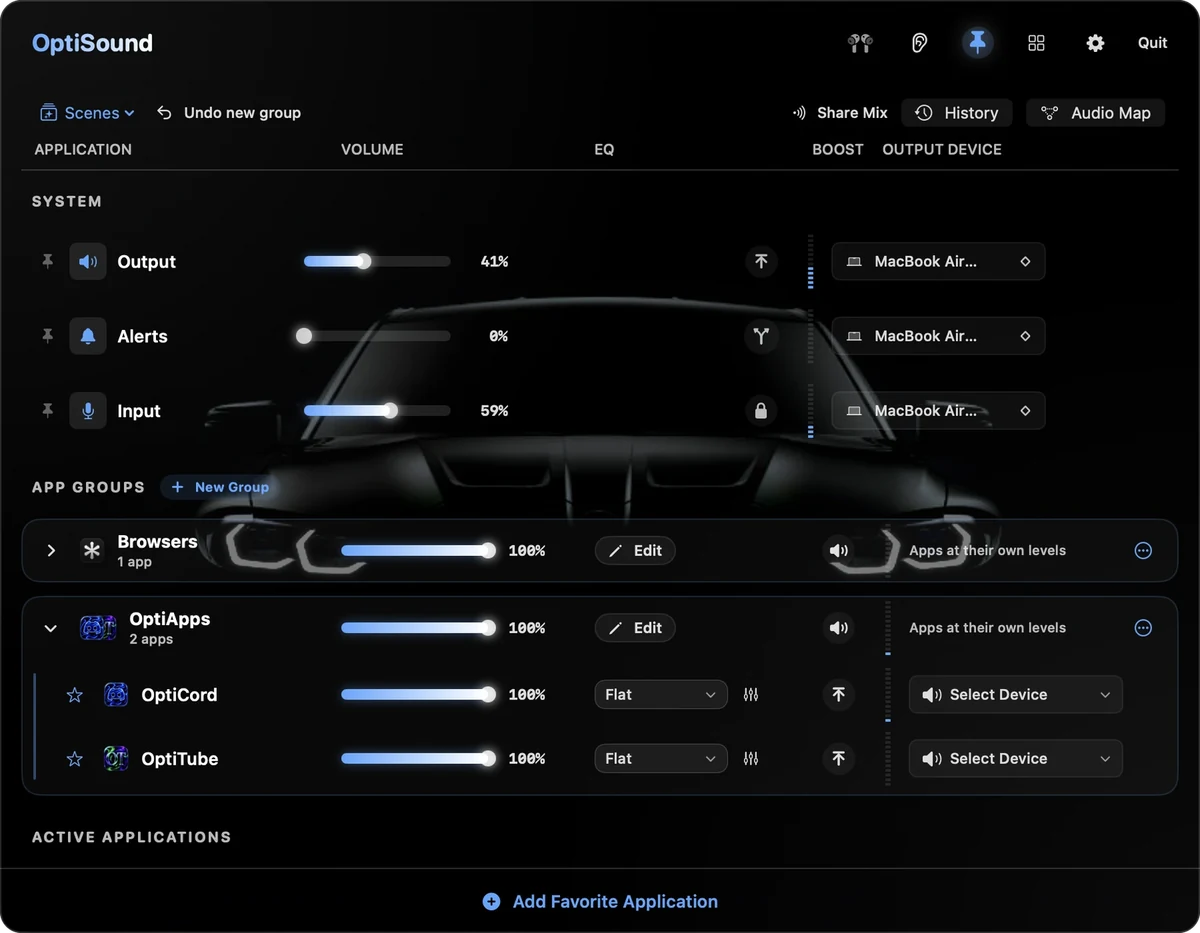
Every app. Its own level. System, groups and each app on one window, in the theme you like.
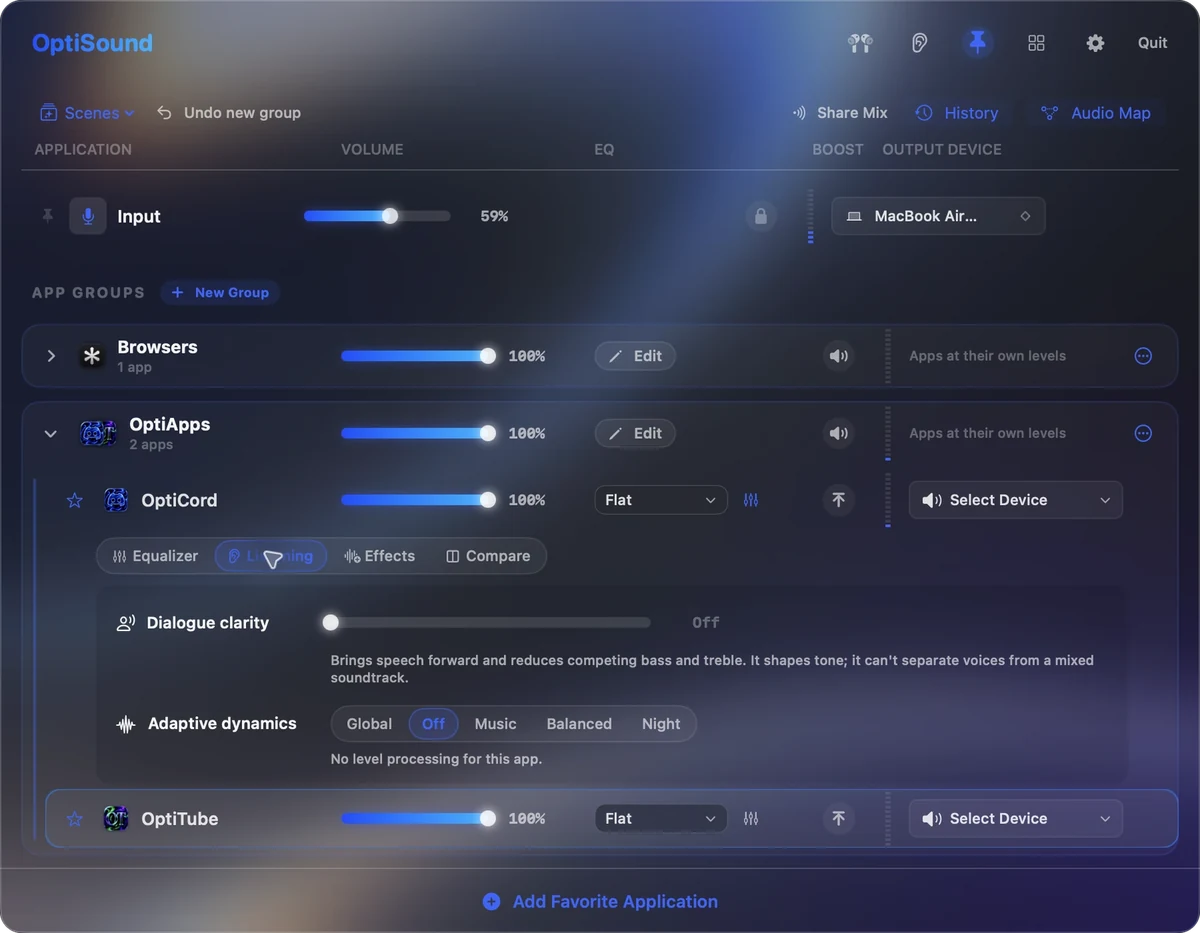
Group them. Fine-tune each. One fader for the group, and an EQ, dialogue clarity and dynamics for every member.
Know where the sound goes. The Live Audio Map shows each app’s output, processing and gain as it happens.
The whole mix, at a glance. Twelve apps in a grid, here in the Akame Ga Kill theme.
And everything around the mix.
Five themes, two views
OptiSound, Lilac, NightShade, M and Akame Ga Kill. Switch between the list and the grid, and pin the apps you reach for most.
Save the whole mix
Save a scene for work, a film or a game. Rules can bring it back when an app opens or a device connects.
See where it goes
The Audio Map shows every route and effect. History tells you what changed and lets you undo it; microphone apps keep their native audio path.
Tune what you listen on
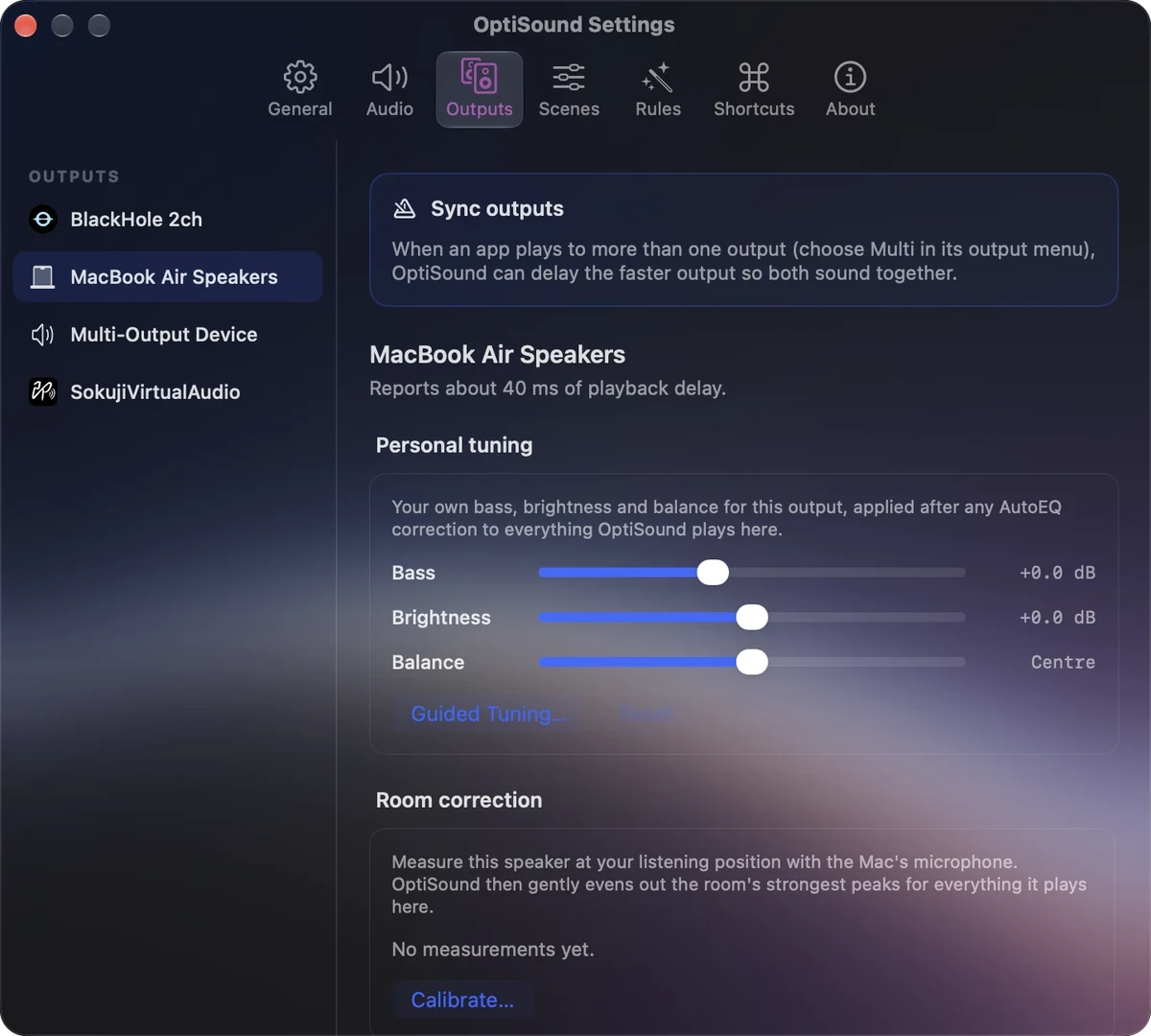
Find your headphones in AutoEQ or import a profile. Set bass, brightness and balance for each output, or choose by ear with guided A/B tuning.
Tame the room
Measure your speakers with the Mac’s mic and soften the room’s strongest peaks. Each output can have its own volume limit, too.
Share what you choose
Share Mix sends chosen apps to a separate input for OBS or a call. Your listening mix stays put, and microphone apps stay out.
Side by side
Against plain macOS.
| Compared | OptiSound | macOS on its own |
|---|---|---|
| Volume | One level per app | One level for everything |
| Output | Any app to any device, or to two at once | One device at a time |
| EQ | 10 bands, dialogue clarity and adaptive dynamics | None |
| Quiet audio | Up to 400% gain, held clean | 100% and that’s your lot |
| Audio and video | In sync, no buffer added | Drifts as soon as you build an aggregate device |
| Microphone | Locked to the one you chose | Whatever you plugged in last |
| Price | €4.99 once | Free, and it shows |
Alternatives
Looking for an alternative?
Most people arrive having already tried one of these. Here is where OptiSound sits against each, at €4.99 paid once.
- SoundSource
- Boom 3D
- eqMac
- Background Music
- Loopback
- BlackHole or Soundflower
- Audio Hijack
- an aggregate device
- Windows
SoundSource alternative
The closest comparison, and the one most often searched. OptiSound covers the same core: a volume level per app, an EQ per app and an output device per app, routed on CoreAudio with no virtual driver to install and no latency added to the signal.
Boom 3D alternative
If you came for the volume boost and the equaliser, OptiSound boosts to 400% held clean of clipping and gives every app its own 10-band curve rather than one global effect over the whole machine.
eqMac alternative
An alternative to eqMac for anyone who wants the EQ per application instead of system-wide, with the mixer, the routing and the level meters in the same menu bar panel.
Background Music alternative
Background Music popularised per-app volume on macOS. OptiSound does that without installing an audio driver, and adds per-app EQ, per-app output devices and simultaneous output to two devices.
Loopback alternative for simple routing
If all you need is an app sent to a specific device, or to two devices at once, that is a click on the app’s row here rather than a routing graph you have to build and maintain.
BlackHole and Soundflower alternative
Virtual audio drivers are the usual way to move sound between devices, and the usual source of latency and drift. OptiSound routes on CoreAudio directly, so audio and video stay in sync.
Audio Hijack alternative for everyday use
Audio Hijack is a recording and processing studio. OptiSound is the everyday half of that: level, EQ and output per app, changed in one click and remembered per app.
Aggregate device alternative
The Audio MIDI Setup route to playing through two outputs at once is free and drifts. Simultaneous output here is a setting on the app’s row, in sync, with no aggregate device to create.
Windows Volume Mixer and VoiceMeeter equivalent for Mac
Coming from Windows, the missing piece is a per-application volume mixer. This is that, in the menu bar, with an EQ and an output device attached to every app in the list. How a volume mixer works on a Mac.
Questions
Straight answers.
Can I set a different volume for each app on my Mac?
Yes, that is the core of it. Every app making a sound gets its own slider, so the film stays loud while Slack, Mail and notification sounds stay quiet, and moving one never moves the other.
Does macOS have a volume mixer like Windows?
macOS gives you one volume slider for the whole machine and one output device at a time. OptiSound is the per-app mixer macOS does not include: a level, an EQ and an output device for every app.
Can I play audio through two devices at the same time?
Yes. Send one app to the speakers and the headphones together, in sync, without building an aggregate or multi-output device in Audio MIDI Setup.
Do I still need an aggregate device in Audio MIDI Setup?
No. Aggregate devices are what people build to get simultaneous output, and they are also what causes audio to drift out of sync with video. OptiSound routes on CoreAudio directly and adds no buffer.
Can I send each app to a different output device?
Yes. Discord to the headset, Spotify to the monitors, the browser to the TV. Each app remembers the device you chose and returns to it on its own when that device reappears.
Is there a system-wide equalizer for macOS?
OptiSound gives every app its own 10-band graphic EQ. Thin out a podcast, lift the bass in one player, tame a harsh game, and leave everything else untouched. Dialogue clarity and adaptive dynamics sit alongside it, with Audio Unit effects if you want to go further.
Does the EQ add latency?
No. The 10-band EQ runs with no added latency, so audio stays locked to video.
How do I make my Mac louder than 100%?
OptiSound boosts gain up to 400%, held short of the point where it starts to clip and crackle. It is built for interviews recorded too quietly and films mastered for a cinema rather than a laptop.
Will boosting distort the audio?
The boost stage is held clean. It stops short of clipping rather than simply multiplying the signal until it breaks up.
Can I stop macOS switching my microphone?
Yes. Lock the input you want and macOS stops swapping to whatever was plugged in last, which is the classic reason a call starts on the wrong mic after you connect headphones or a webcam.
Does it install a virtual audio driver or a kernel extension?
No. The routing core sits on CoreAudio rather than a legacy virtual driver, so there is no driver to install, no extension to approve, and the signal reaches your speakers unchanged.
Will audio and video stay in sync?
Yes. No buffer is added anywhere in the path, which is precisely why it does not drift the way an aggregate device does.
Which apps does it work with?
Anything that makes a sound: Safari, Chrome, Firefox, Arc, Spotify, Apple Music, VLC, IINA, QuickTime, Discord, Slack, Zoom, Teams, Steam and games, OBS, and the rest.
Where does OptiSound live?
In the menu bar. Click the icon and the whole mixer drops down, change what you came for, then click away. Mute, boost and device switching sit on each row; keyboard shortcuts and media keys cover the things you do most.
Can I see which app is making that noise?
There is a live level meter beside every app in the list, and you can pin the apps you use most to the top so they stay visible even while silent.
Does it control system input and output too?
Yes. System output, system input and every app’s level are in the same window, and you get a native notification when a device disconnects or the audio setup shifts underneath you.
Which Macs are supported?
Apple Silicon, M1 through M4. OptiSound is a native build with no Rosetta and no cross-platform layer.
How much is it, and is it a subscription?
€4.99 once. Lifetime licence, no subscription, no account to make with us. PayPal handles the payment and the download arrives straight away.
Is this an alternative to SoundSource, Boom 3D or eqMac?
It covers the same ground: per-app volume, per-app EQ, per-app output routing and volume boosting, as a native Apple Silicon app for a single €4.99 payment, and without a virtual audio driver.
Does it remember my settings per app?
Yes. Levels, EQ curves and output devices are stored per app and reapplied automatically the next time that app makes a sound.
Get OptiSound.
€4.99one-time
Pay once and it’s yours. Lifetime licence, no subscription, no account to make with us. PayPal handles the payment and the download arrives straight away.
CheckoutPayPal, in euros
- Version 1.1.4
- Apple Silicon only
- Lifetime licence