Film
 OptiMac
Clean it. Watch it. Uninstall it properly.
€20, paid onceLifetime licence, no subscription
BuyOptiMac is a cleaner, a live monitor and an uninstaller in one 3.2 MB app, written for Apple Silicon and nothing else. Everything runs on your Mac.
- 3.2 MBOne native binary
- 0%Idle CPU overhead
- 120 HzProMotion native
- €20Once, not monthly
Instruments
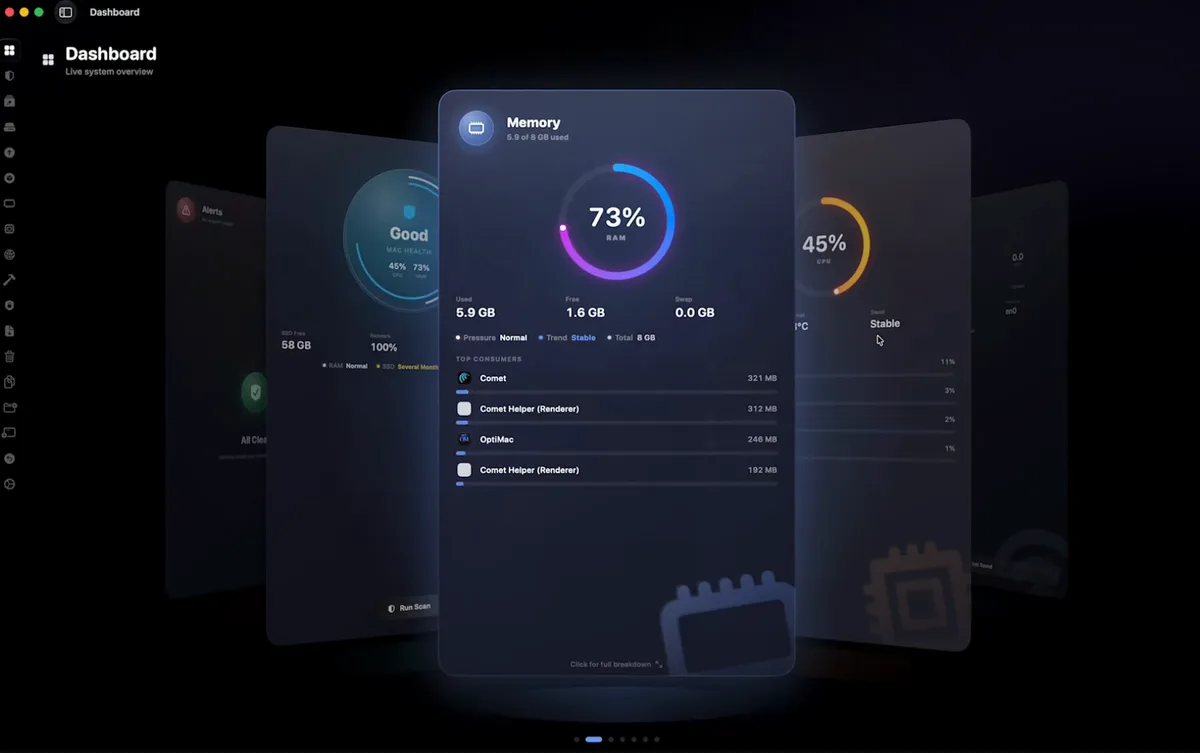
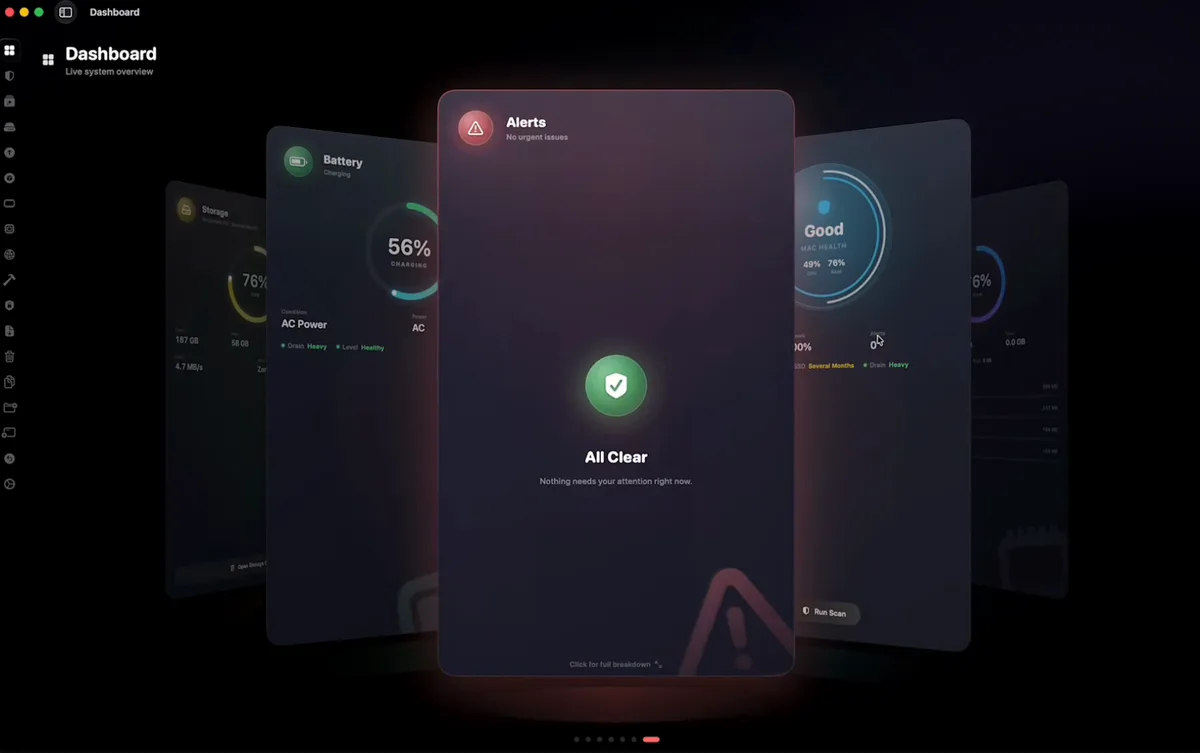
Everything your Mac won’t tell you.
Ghost Killer
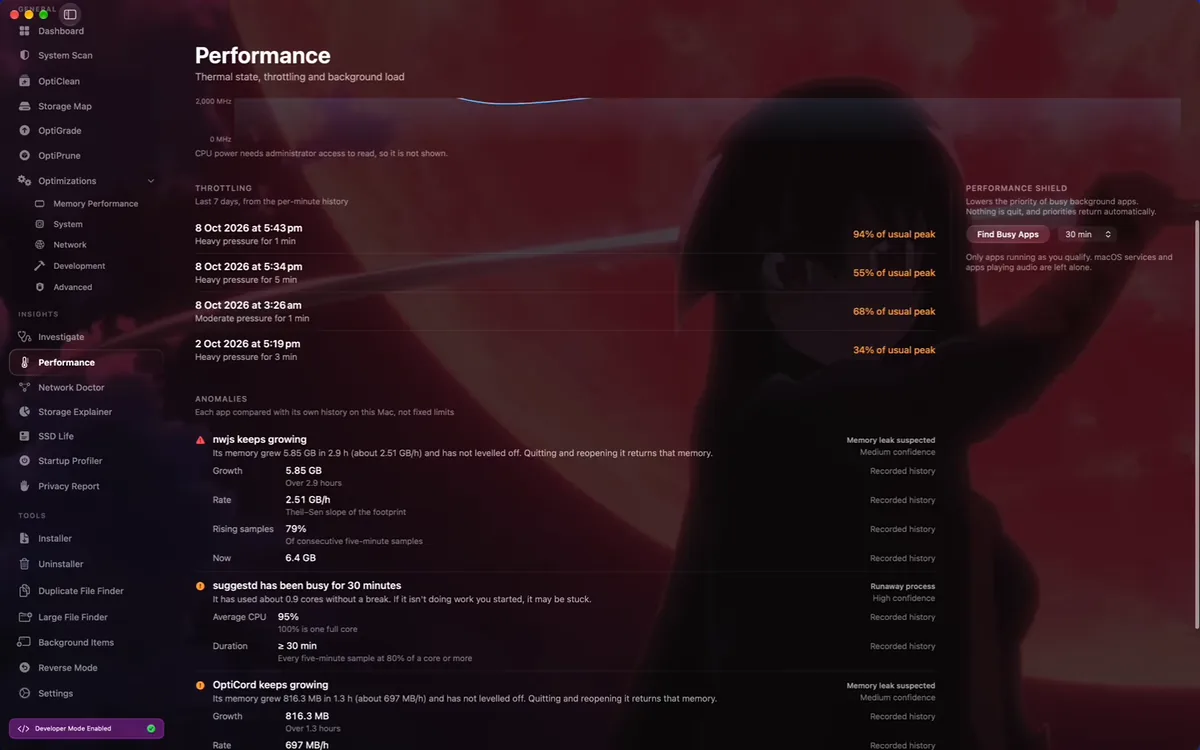
Finds the background processes quietly draining your battery and ends them. Most of them belong to apps you closed hours ago.
Speed test, built in
Download, upload and latency, measured without opening a browser or watching an advert first.
Cores where you want them
Override macOS scheduling and hand a render, an export or a build the performance cores it should have had in the first place.
Apple Silicon only
No Rosetta, no cross-platform layer, no Intel compromise. 3.2 MB on disk and nothing on the CPU while it waits.
Removal
Smart Uninstaller.
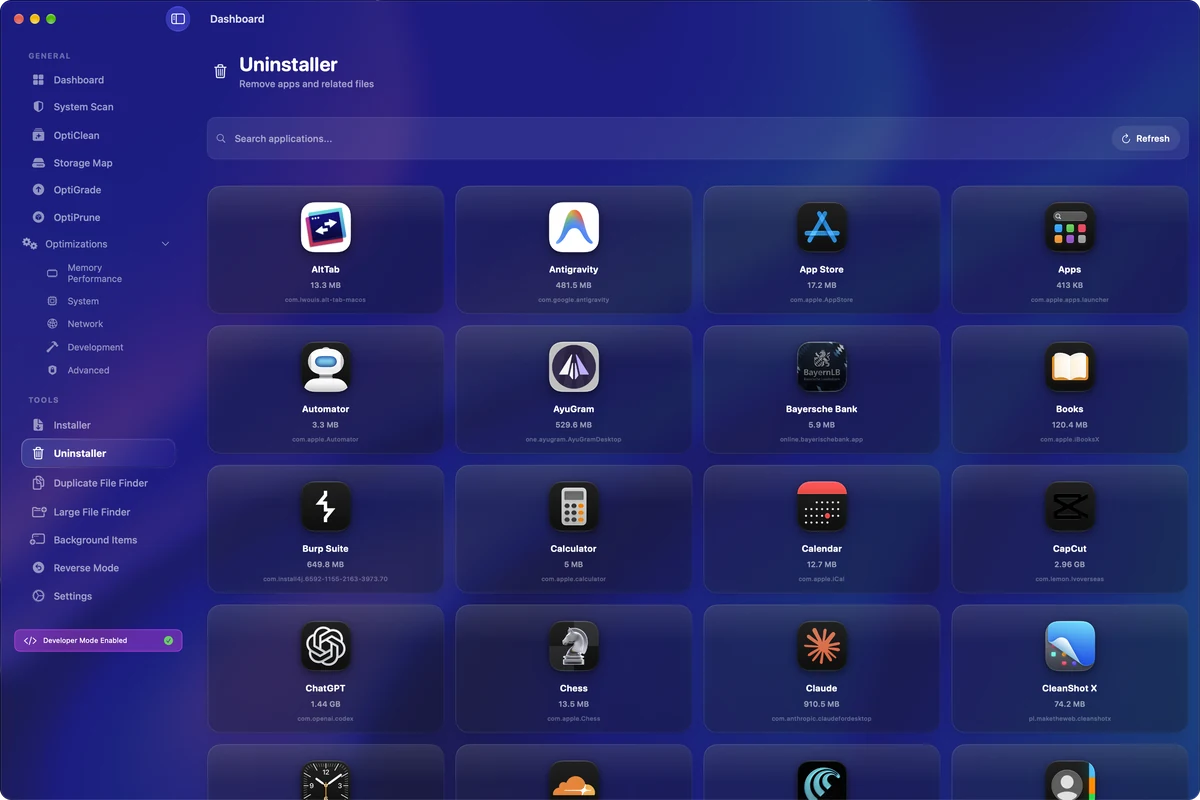
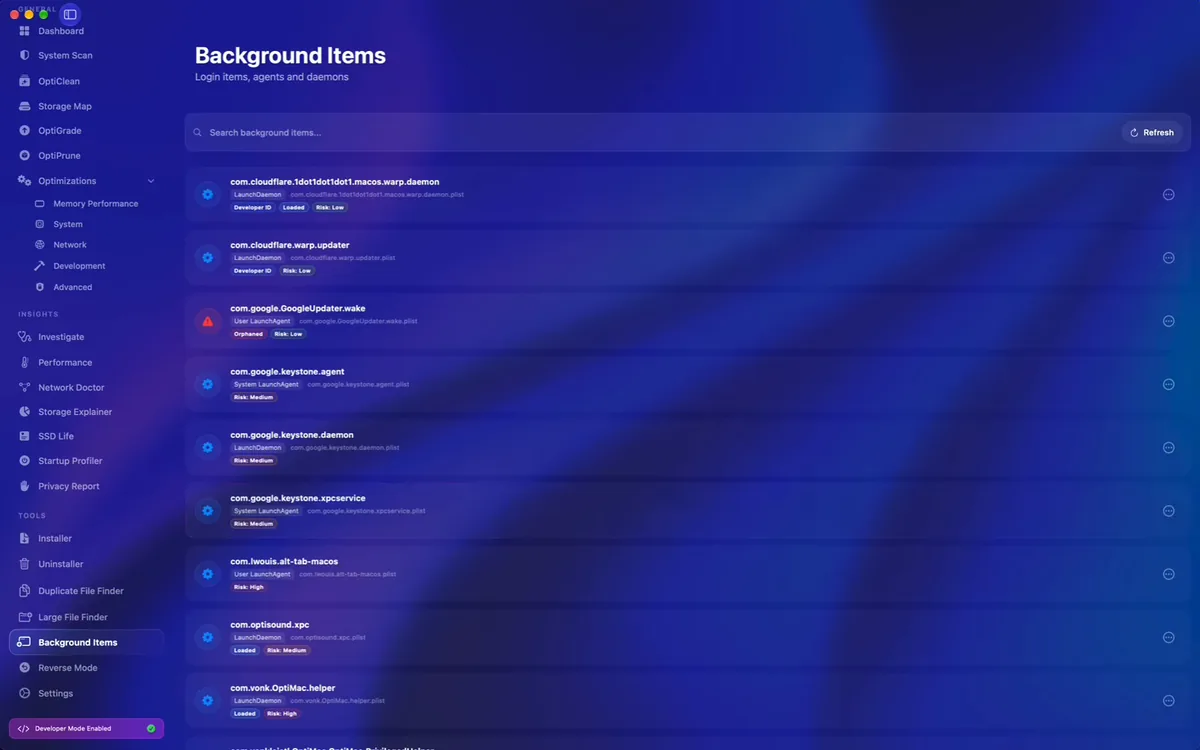
Dragging an app to the Trash leaves the rest of it on your disk: preference files, support folders, login items, background agents. OptiMac maps the lot, shows you what it found, and removes all of it in one go.
Deep clean
OptiClean.
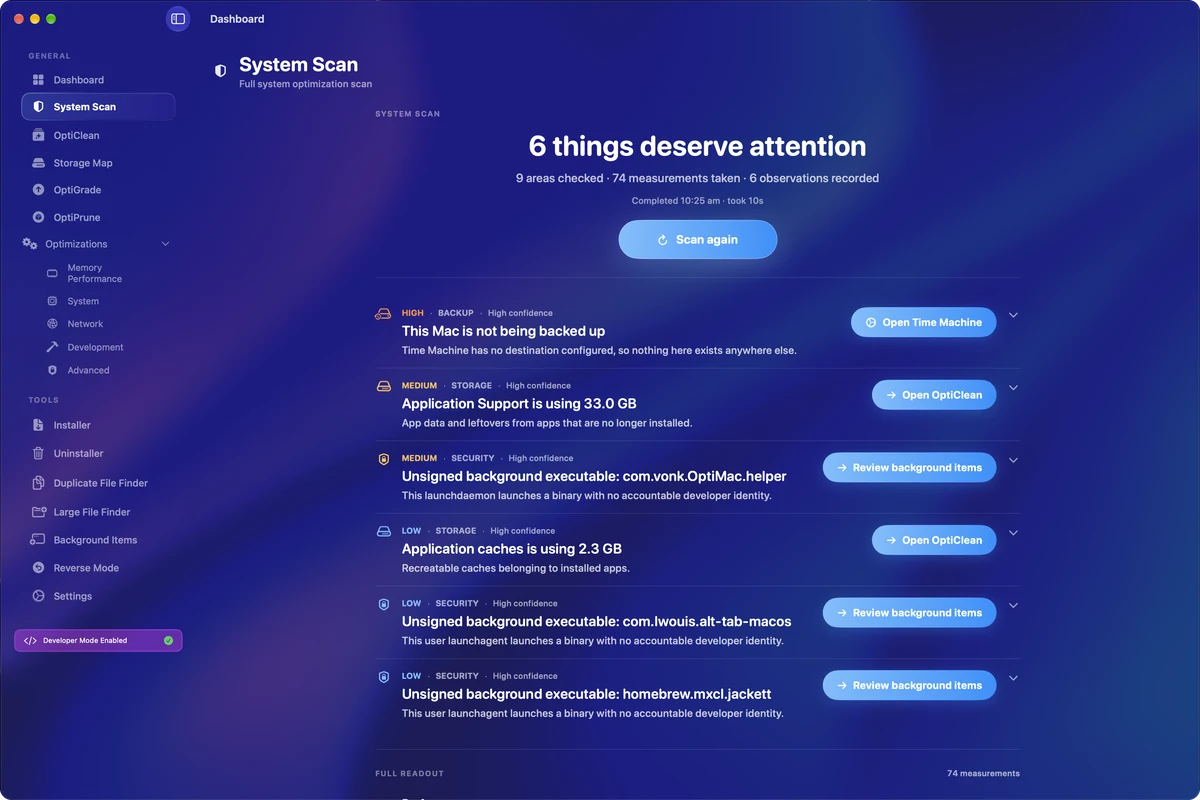
A deep scan for caches, logs, old installers and the debris of apps you removed years ago. Everything it finds is listed in plain language with its size next to it. You tick what goes, and it goes.
Maintenance
Less time in the terminal.
Drag, drop, open
Drop an app in and OptiMac clears the quarantine flag macOS attached to it, so it opens the first time instead of arguing with you.
Every package manager, updated
Homebrew, Python, npm and the rest of them brought up to date from one button, instead of four terminal windows.
And cleaned out after
The caches and stale versions those managers leave behind, cleared in the same pass. They add up to more than you’d think.

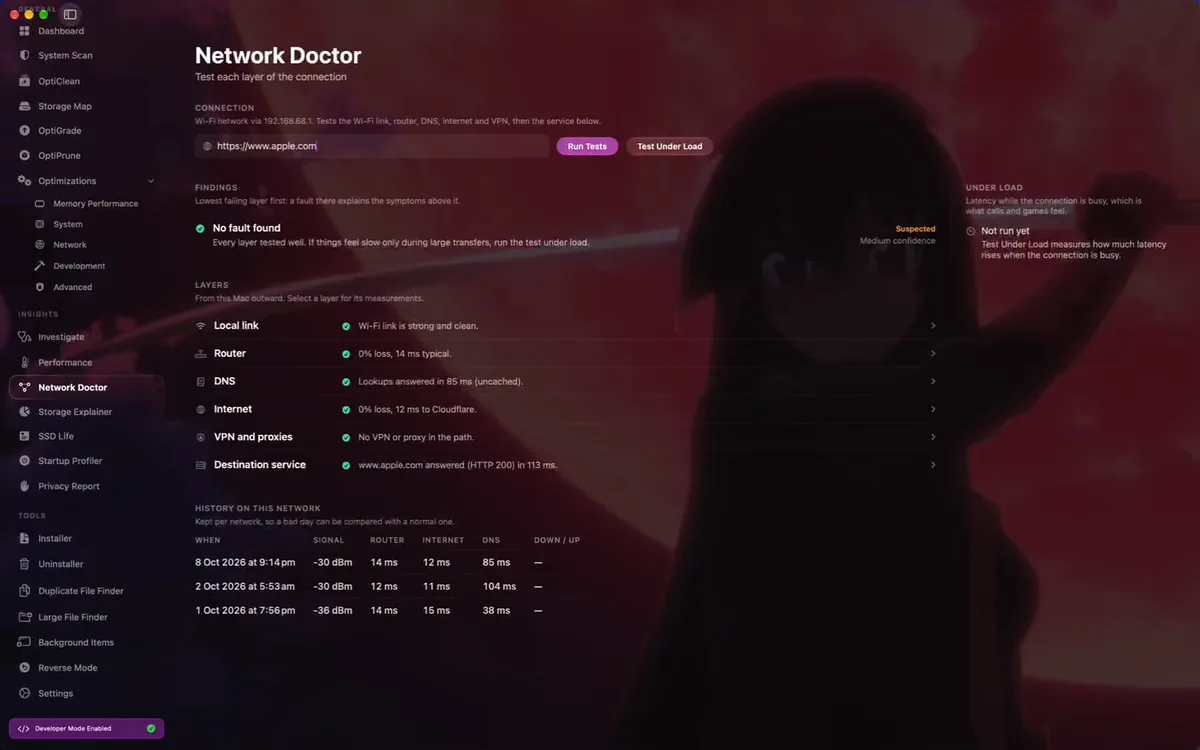
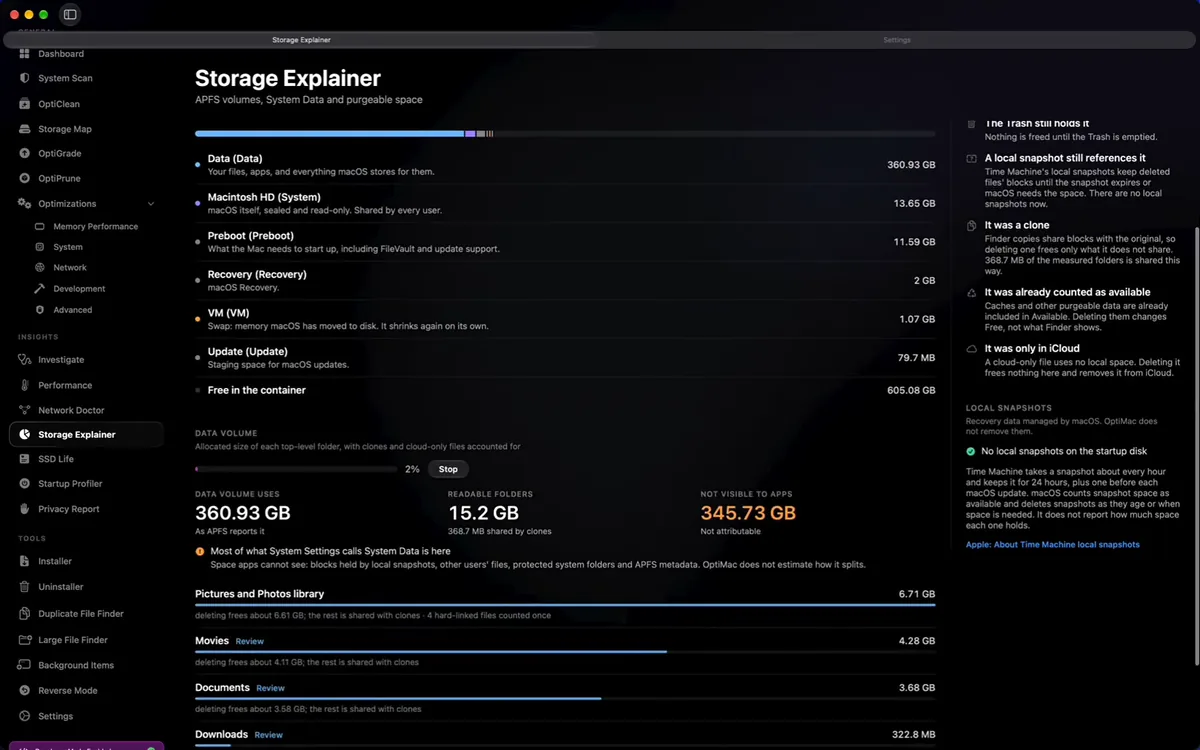
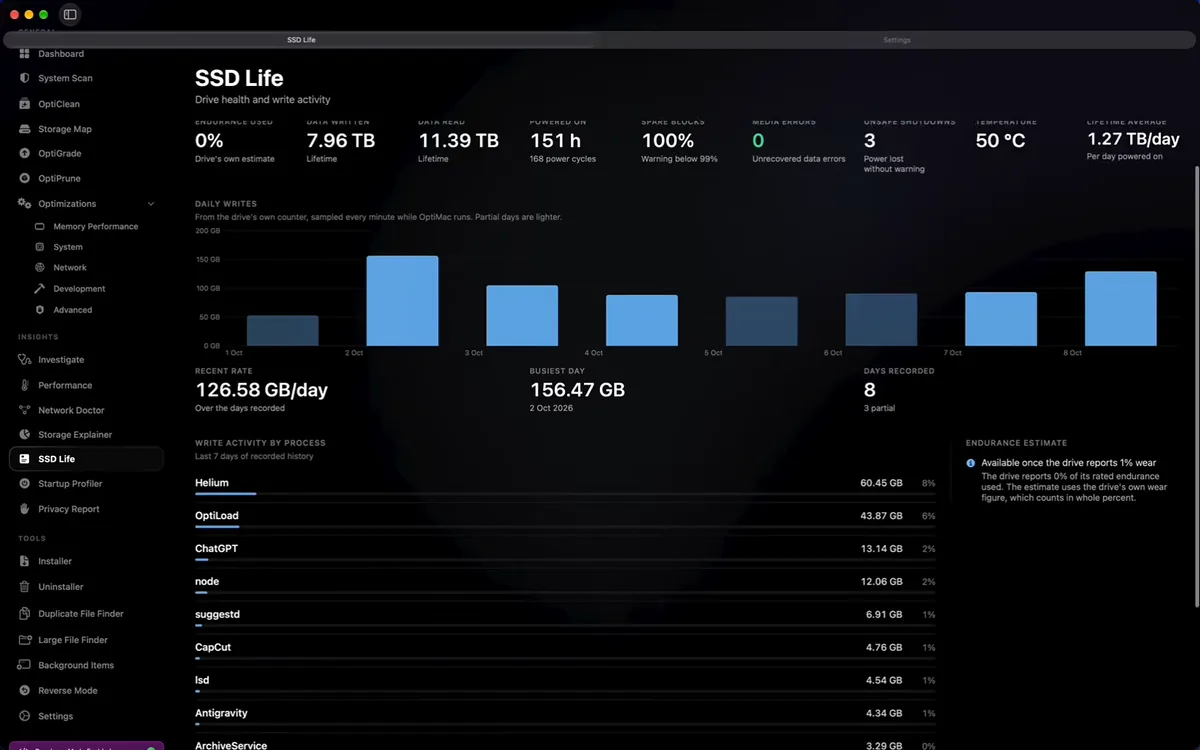
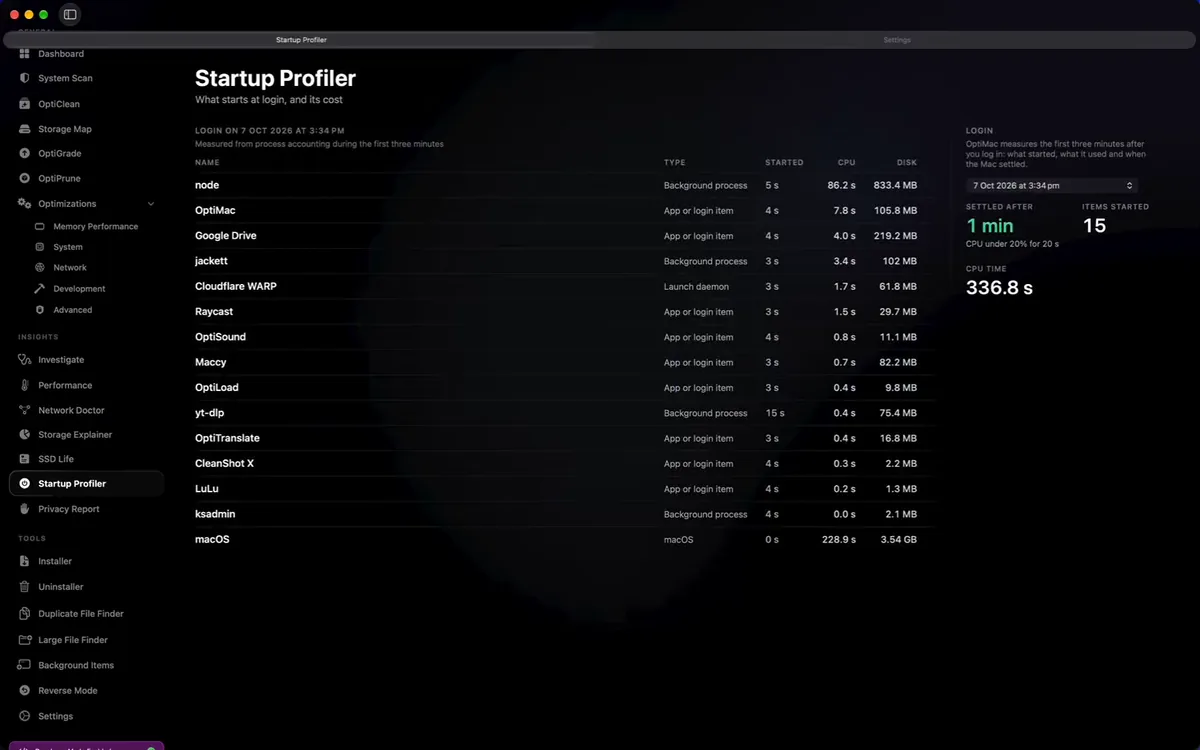
Nothing leaves the Mac.
No account, no sign-in, no telemetry, no cloud sync. Everything OptiMac finds about your machine stays on it.
Side by side
Against the usual cleaner.
| Compared | OptiMac | The usual Mac cleaner |
|---|---|---|
| Price | €20 once, no account with us | Monthly, forever |
| Built with | SwiftUI, native on Apple Silicon | Electron wrapped around a web page |
| Size on disk | 3.2 MB | Several hundred MB |
| When idle | Nothing on the CPU | A helper you didn’t ask for |
| Uninstalling | Every leftover found and removed | The app, and not much else |
| Monitoring | CPU, RAM, disk, network, battery, SMART | A pie chart of your disk |
| Package managers | Homebrew, npm and Python kept current | Doesn’t know they exist |
| Your data | Never leaves the Mac | Synced, for your convenience |
Alternatives
Looking for an alternative?
People land here searching for an alternative to a Mac cleaner they already know. Here is what OptiMac does in each of their places, and what it costs: €20, paid once.
CleanMyMac alternative
The most common reason people go looking. The overlap with CleanMyMac and CleanMyMac X is the cleaning itself: caches, logs, old installers and the leftovers of apps you removed. What OptiMac adds on top is a complete uninstaller and live hardware monitoring, in a 3.2 MB native binary bought once rather than rented. OptiMac as a CleanMyMac alternative, in full.
MacKeeper alternative
If you came looking for an alternative to MacKeeper, OptiMac covers the cleanup and the background-process side of it without an account, without telemetry and without anything phoning home. Everything it finds about your machine stays on your machine.
DaisyDisk alternative
DaisyDisk shows you where the space went. OptiMac shows you the same thing in plain language with sizes beside it, then removes what you tick, including the caches, logs and developer debris a visual map leaves you to delete by hand.
AppCleaner alternative
AppCleaner is the free answer to leftover files. The Smart Uninstaller does the same mapping, preference files, Application Support, containers, login items, launch agents and daemons, and sits in the same app as the cleaner and the monitor rather than beside them.
OnyX alternative
OnyX is the maintenance tool Mac veterans reach for. OptiMac covers the same ground with a modern SwiftUI interface, and adds package-manager maintenance for Homebrew, npm and Python in the same pass.
iStat Menus alternative
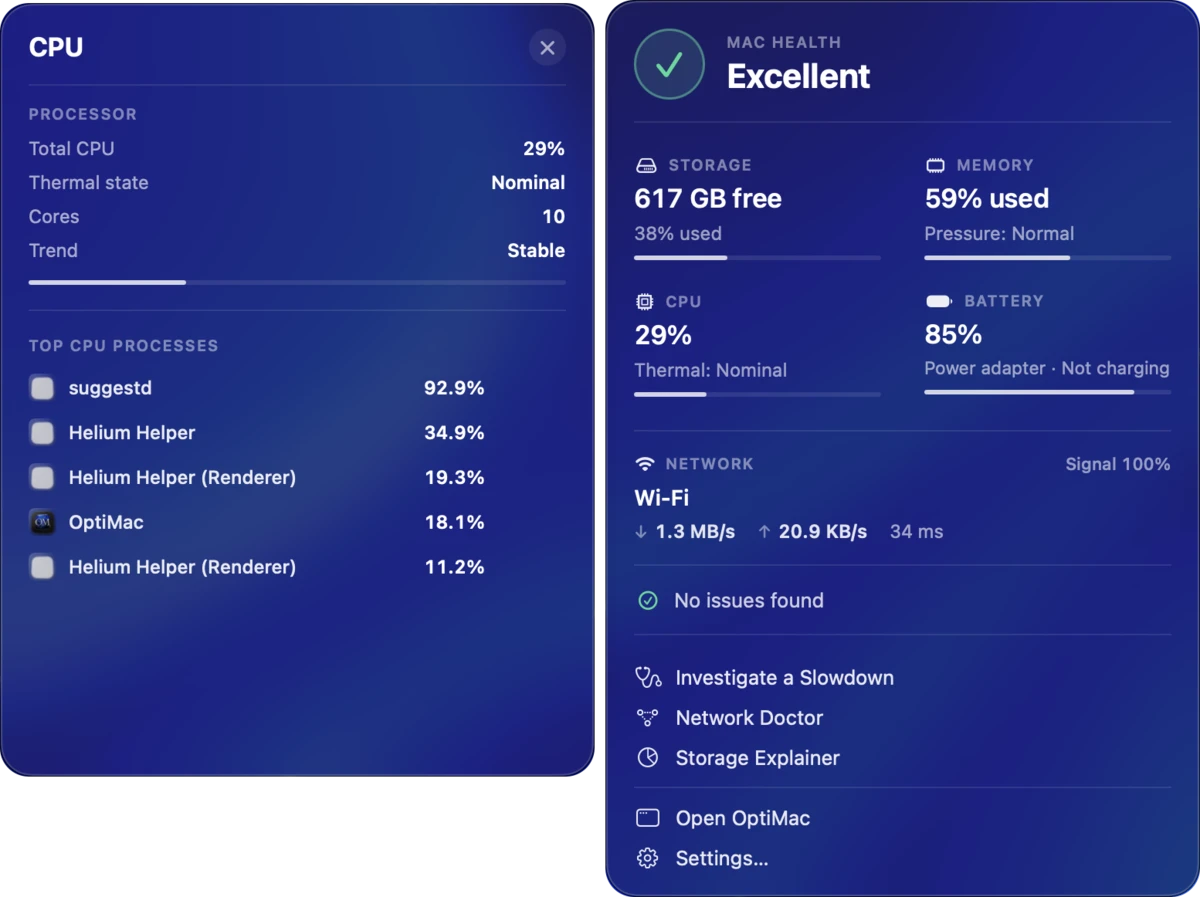
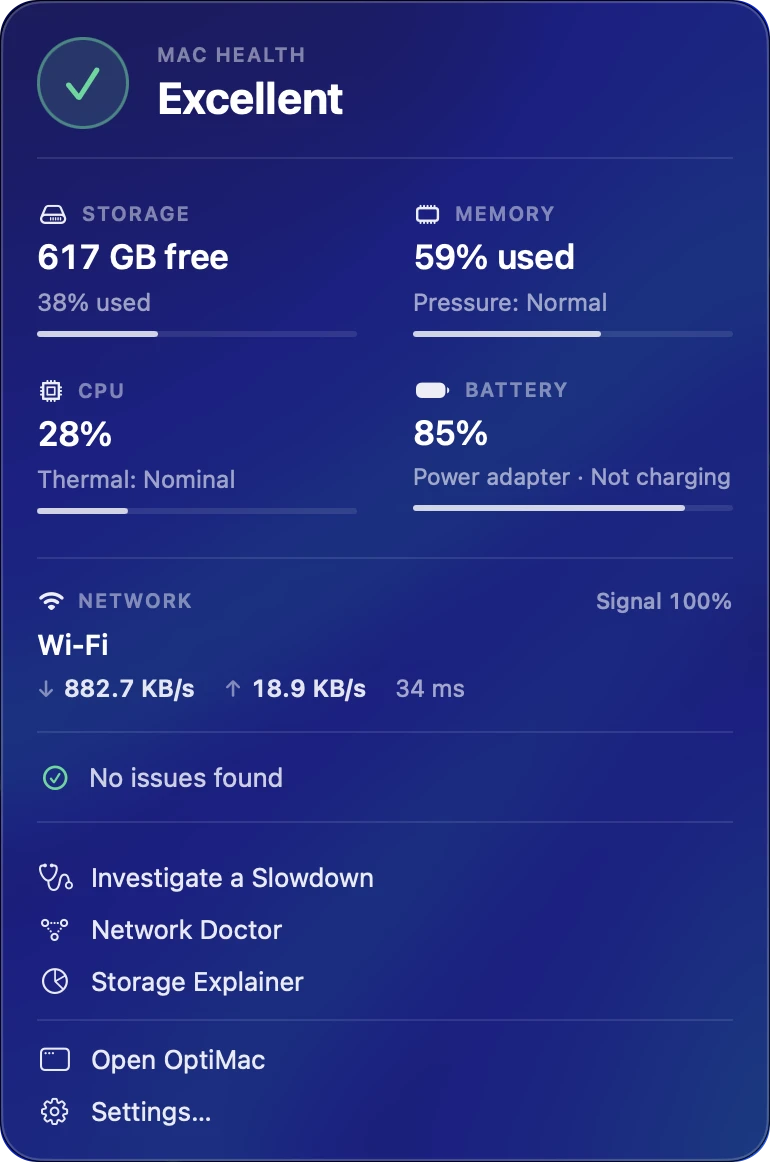
If it is the monitoring you want, the dashboard shows CPU, RAM and memory pressure, disk, network throughput and quality, battery health and SMART status, live. It is one part of OptiMac rather than the whole app, and there is no subscription attached to it.
Sensei alternative
Sensei pairs monitoring with cleaning, which is exactly the pairing OptiMac was built around, plus a complete uninstaller and performance-core scheduling. Apple Silicon only, 3.2 MB, and no recurring charge.
MacBooster and CCleaner for Mac alternative
The same job, done as a native Apple Silicon app instead of a cross-platform port: no Electron, no bundled browser engine, nothing running on the CPU while the app waits.
Free alternative for Intel Macs
OptiMac is Apple Silicon only. If your Mac is Intel, the free and open-source OptiMac Intel CLI gives the same deep cleaning and maintenance from the command line, with no GUI overhead at all.
Questions
Straight answers.
What does OptiMac actually do?
Three things in one 3.2 MB app. It cleans: caches, logs, old installers and the debris of apps you removed years ago. It monitors: CPU, RAM, disk, network, battery and SMART status, live. And it uninstalls apps properly, every leftover file included.
Will OptiMac make a slow Mac faster?
It removes the usual causes rather than promising magic. Reclaiming disk space, ending background processes still running from apps you closed hours ago, compressing memory when pressure climbs, and handing heavy jobs the performance cores they should have had all address why a Mac feels slow.
How do I free up disk space on my Mac?
Run the OptiClean deep scan. It lists user and system caches, log files, old installers and disk images, developer caches such as Xcode DerivedData and simulator data, package manager leftovers, and the residue of uninstalled apps. Each item appears in plain language with its size beside it, and nothing is removed until you tick it.
What is "System Data" on macOS and can OptiMac reduce it?
System Data is the bucket macOS uses for caches, logs, snapshots, swap and everything it cannot categorise, which is why it can quietly reach tens of gigabytes. OptiMac shows you what is actually inside that figure on your machine and lets you clear the parts that are safe to clear.
How do I fully uninstall an app, leftovers and all?
Dragging an app to the Trash leaves behind preference files, Application Support folders, containers, caches, saved state, crash reports, login items, launch agents, launch daemons and background helpers. The Smart Uninstaller maps all of it, shows you what it found, and removes it in one pass.
Can it find login items and agents I never installed?
Yes. Ghost Killer surfaces background processes draining CPU and battery, including agents belonging to apps you quit hours ago, and ends them. The uninstaller maps the login items, launch agents and launch daemons tied to any app you remove.
How do I free up RAM on a Mac?
RAM Boost compresses and purges memory when memory pressure climbs, rather than letting macOS swap itself into a beachball. It is aimed squarely at 8 GB and 16 GB Apple Silicon machines running browsers with hundreds of tabs, Xcode, Docker or creative apps.
Can I see CPU, RAM, disk, network and battery in real time?
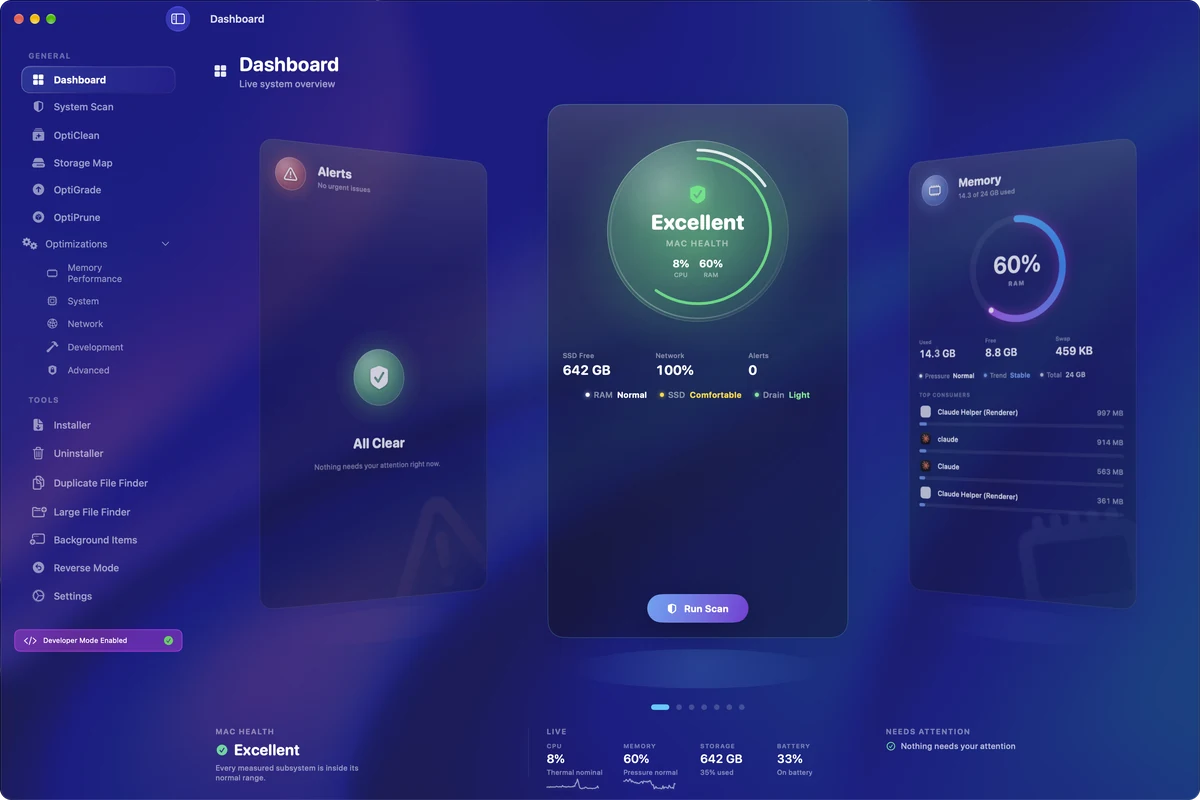
That is the first screen. The dashboard shows CPU load, memory usage and pressure, disk usage, network throughput and quality, and battery health, all moving as you watch.
How do I check SSD health and SMART status on a Mac?
System Guard checks SMART status and SSD wear level in the background and tells you when a drive is degrading, rather than waiting for the drive to take your data with it.
How do I check battery health and cycle count?
Battery health sits on the live dashboard, alongside the SMART and SSD wear checks that System Guard runs in the background.
Can I force an app to use the performance cores?
Yes. OptiMac can override macOS scheduling and hand a render, an export, a compile or a build the performance cores it should have had, instead of leaving it stranded on efficiency cores.
Can it fix "app is damaged and can’t be opened"?
Drop the app onto OptiMac and it clears the com.apple.quarantine flag macOS attached during download, so the app opens the first time instead of arguing with you.
Does it maintain Homebrew, npm and Python?
One button updates Homebrew, npm and Python, then clears the stale caches and old versions those managers leave behind in the same pass, instead of four terminal windows and a scripted cleanup.
Is there a built-in internet speed test?
Yes. Download, upload and latency are measured inside the app, without opening a browser or watching an advert first.
Is OptiMac a subscription?
No. €20 once, lifetime licence, no monthly fee, no upgrade tier, and no OptiTools account to create. PayPal handles the payment and the download arrives straight away.
Does OptiMac work on Intel Macs?
No. It is written for Apple Silicon and nothing else, with no Rosetta and no cross-platform layer. Intel Mac owners should use the free, open-source OptiMac Intel CLI instead.
Which Macs are supported?
Apple Silicon Macs: M1, M2, M3, M4 and M5, including Pro, Max and Ultra variants, on MacBook Air, MacBook Pro, iMac, Mac mini, Mac Studio and Mac Pro.
Is it safe to delete what OptiMac finds?
Everything found is listed in plain language with its size next to it, and nothing is removed until you tick it. You decide what goes. OptiMac does not clear anything behind your back.
Does OptiMac collect data or need an account?
No account, no sign-in, no telemetry, no cloud sync. Everything OptiMac learns about your machine stays on your machine.
How is it different from CleanMyMac?
Price is one-time rather than monthly. The app is a 3.2 MB native SwiftUI binary rather than several hundred megabytes of Electron wrapped around a web page. It uses nothing on the CPU when idle instead of running a helper you did not ask for. And it monitors CPU, RAM, disk, network, battery and SMART rather than showing a pie chart of your disk.
How big is the app, and does it run in the background?
3.2 MB on disk, and nothing on the CPU while it waits. There is no persistent daemon and no background helper installed alongside it.
What happens after I buy it?
PayPal completes the payment and the download arrives straight away. The licence is permanent, version 3.0.2 is the current release, and there is no separate activation server to depend on.
Get OptiMac.
€20one-time
Pay once and it’s yours. Lifetime licence, no subscription, no account to make with us. PayPal handles the payment and the download arrives straight away.
CheckoutPayPal, in euros
- Version 3.0.2
- Apple Silicon only
- Lifetime licence